Managing spam mails in Gmail by browsing them as newsletters
Improving email organization and spam management through better user experience design.
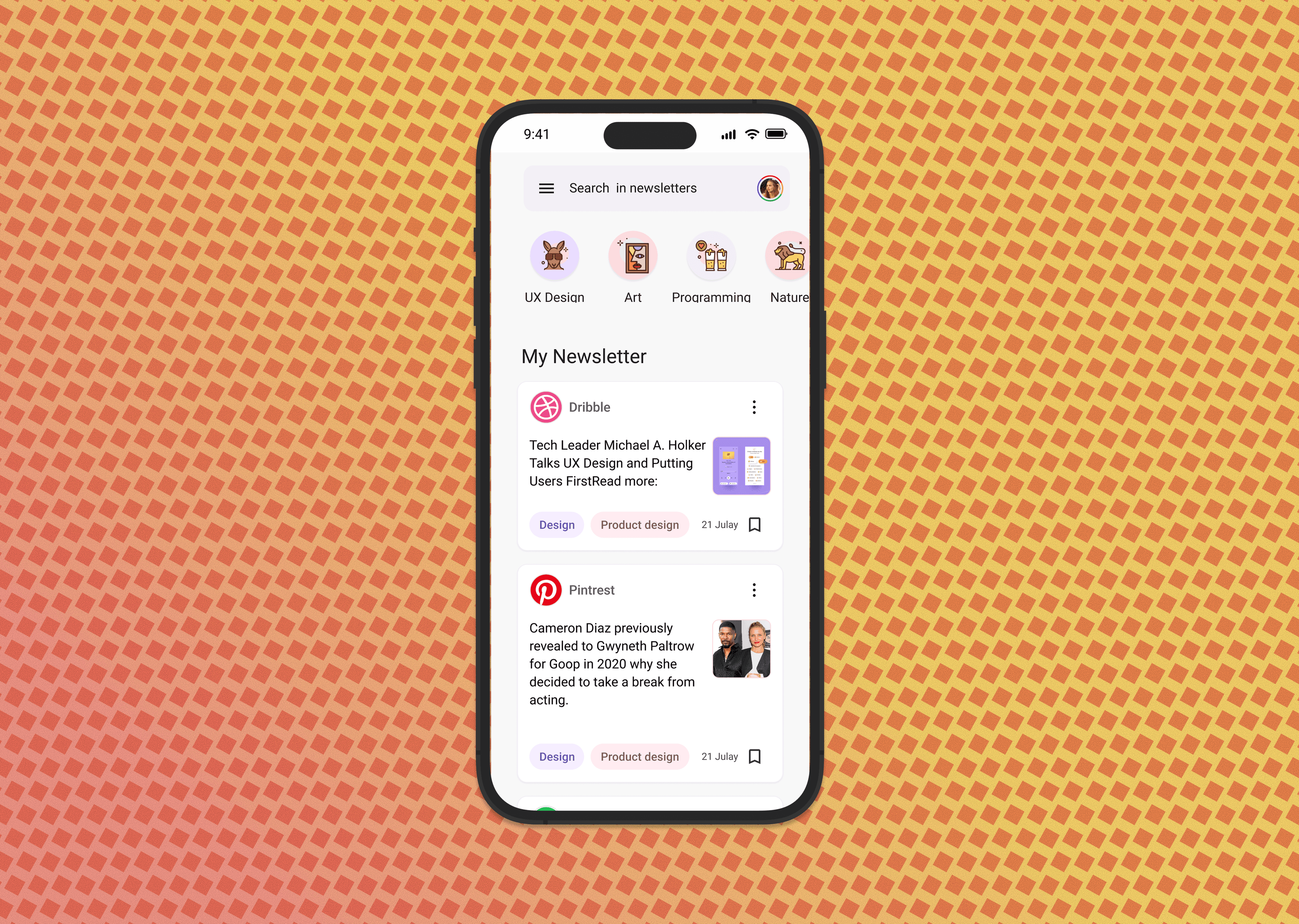
Project Journey
Click on any card below to explore that part of the project in detail
Project Overview
This case study explores the challenges users face with spam email management in Gmail and proposes UX improvements to make email organization more intuitive and efficient.
Duration
3 weeks
Role
UX Researcher & Designer
Tools
Figma, Google Analytics, User Interviews, SurveyMonkey
Team
Individual project
Project Goals
Identify pain points in Gmail spam management and design improved user experiences for better email organization.
Problem & Research
Problem Statement
Users struggle with managing spam emails in Gmail, often missing important messages that get incorrectly filtered or spending excessive time manually organizing their inbox.
A. User Research
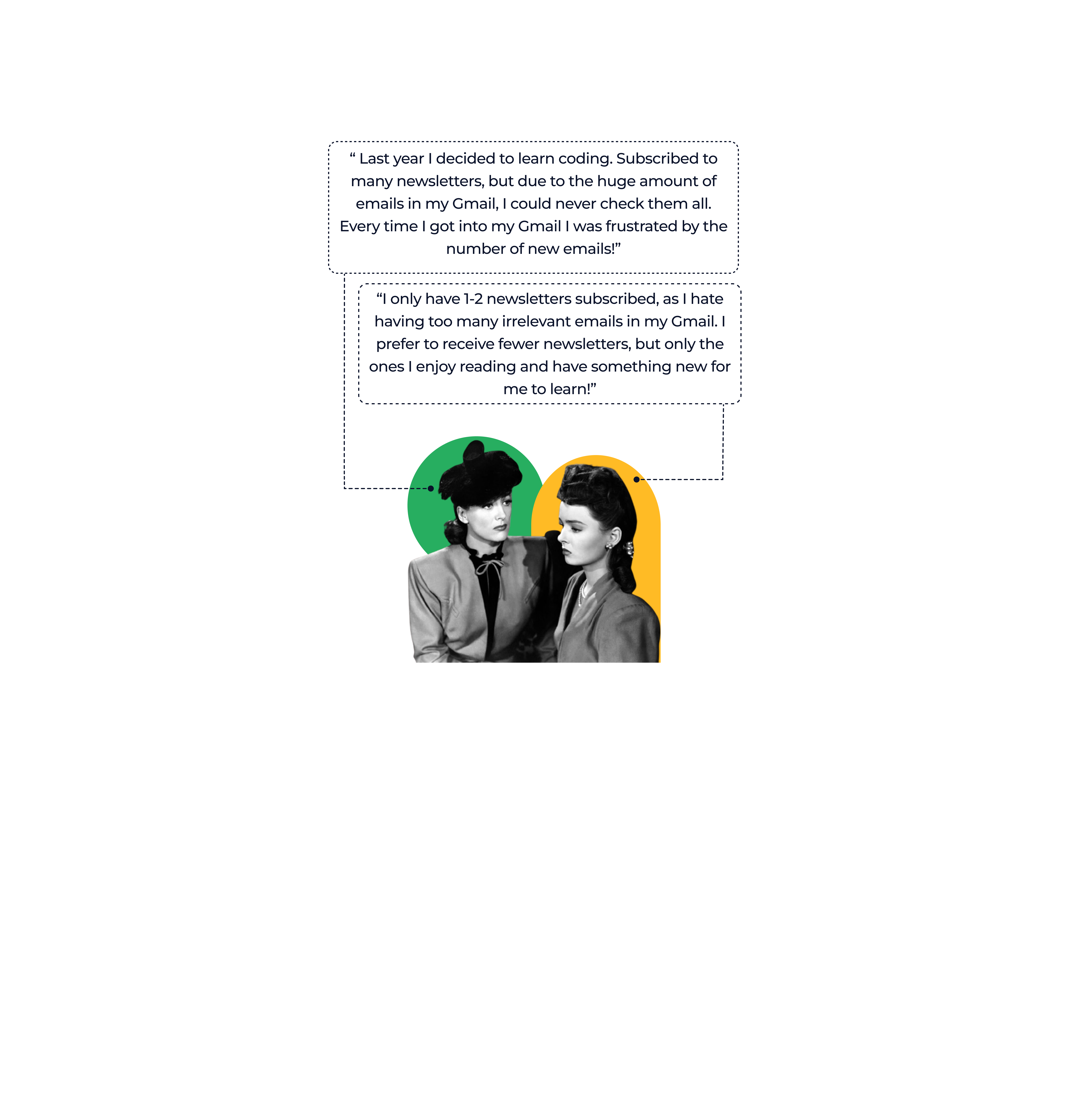
Conducted interviews with 20 Gmail users to understand their spam management challenges and current workflows.
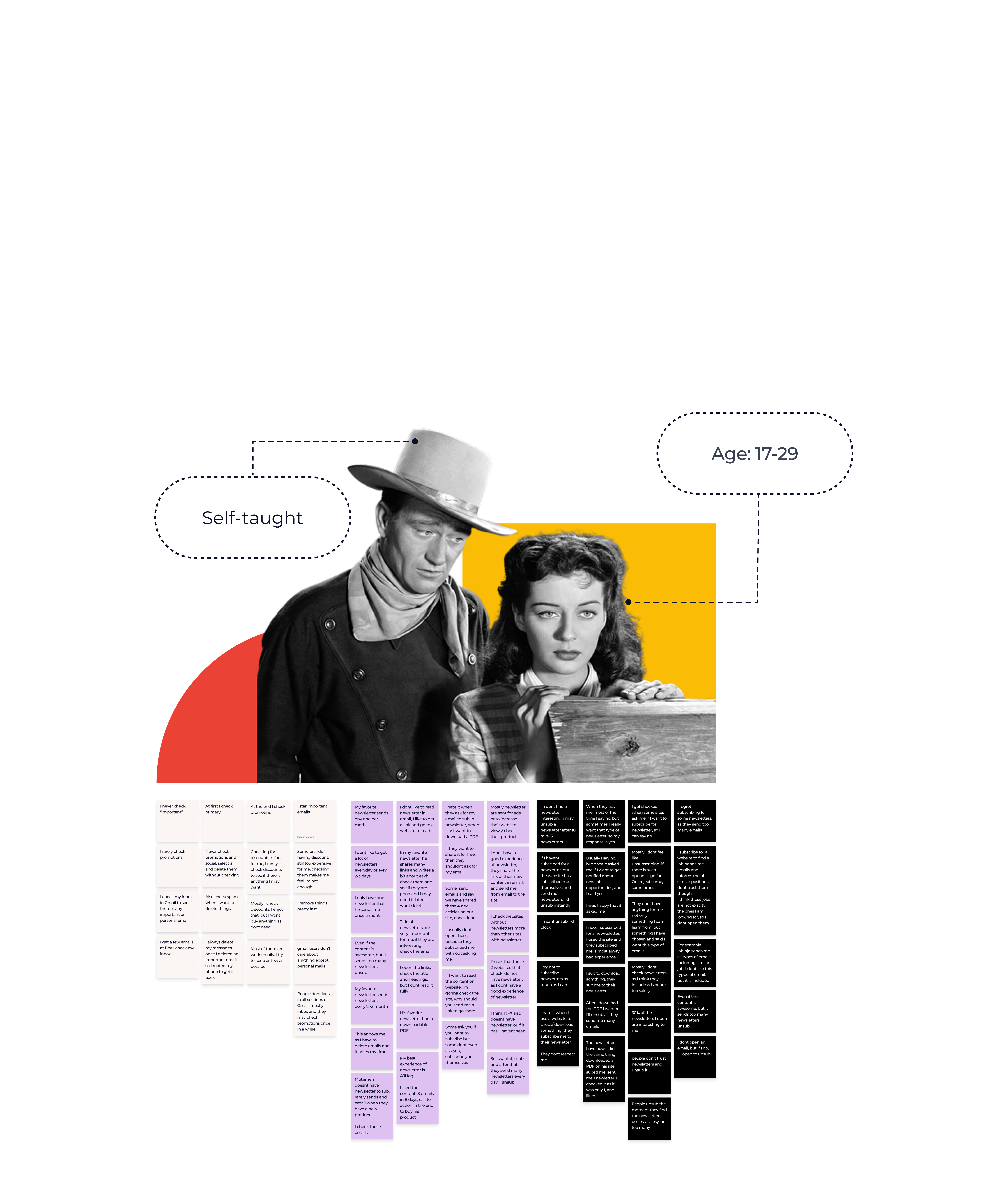
User research findings and pain points
B. Spam Workflow Analysis
Analyzed current spam management workflows to identify inefficiencies and user confusion points.
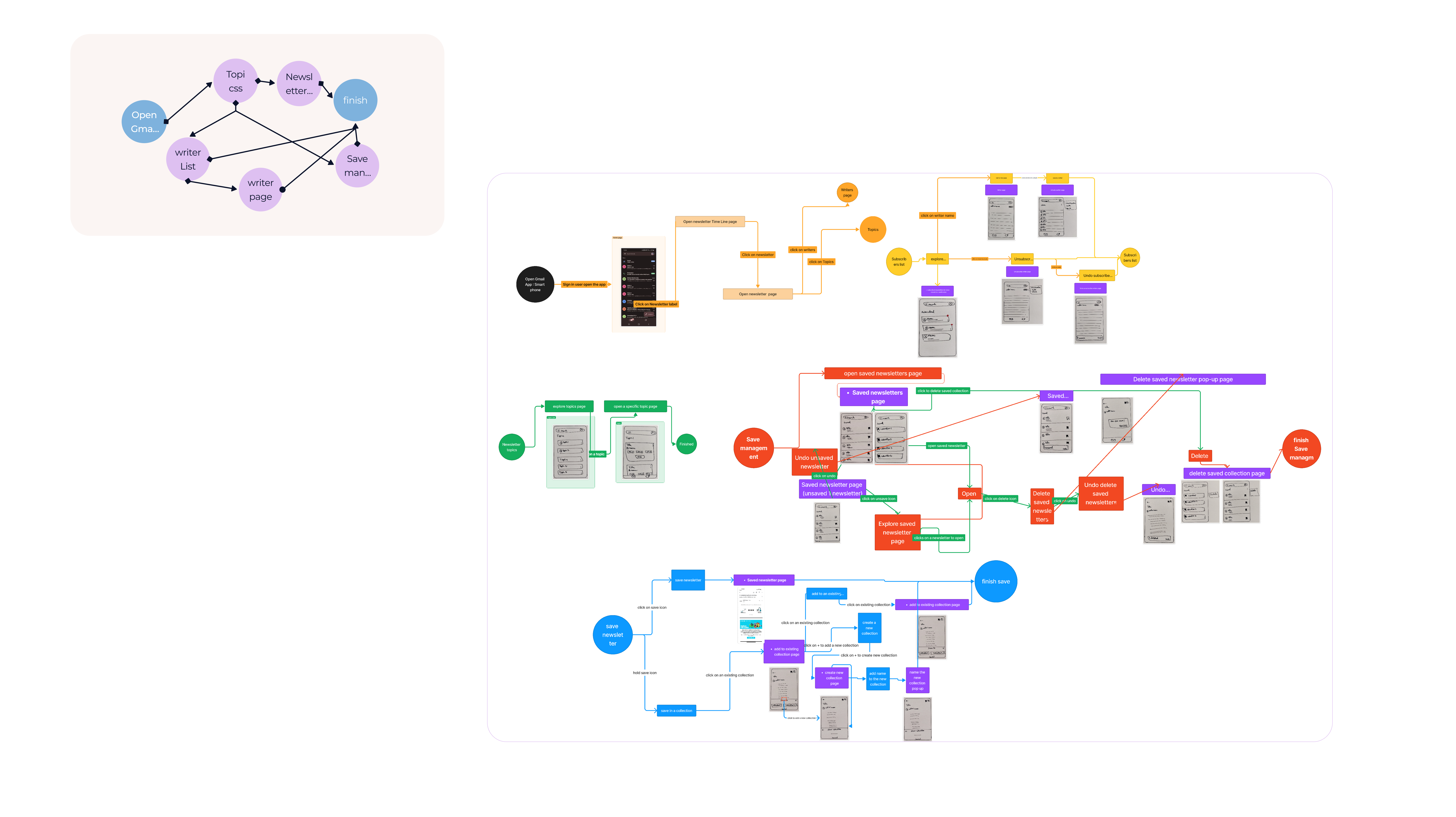
Current spam management workflow analysis
C. Competitive Analysis
Studied other email platforms to understand best practices and opportunities for improvement.
Competitive analysis of email spam management
Research Methods
- User interviews with 20 Gmail users about spam management
- Survey of 100 users about email organization habits
- Usability testing of current Gmail spam features
- Analysis of common spam management workflows
- Competitive analysis of other email platforms
Key Insights
- Users often miss important emails that get incorrectly marked as spam
- Manual spam management is time-consuming and inconsistent
- Users want more control over spam filtering without complexity
- Mobile spam management is particularly challenging
- Users need better feedback about why emails are marked as spam
Solution & Design Process
Solution Concept
Design improved spam management features that give users more control and transparency while reducing the cognitive load of email organization.
A. Enhanced Filter Controls
Designed more intuitive spam filter controls with clear explanations of filtering decisions.
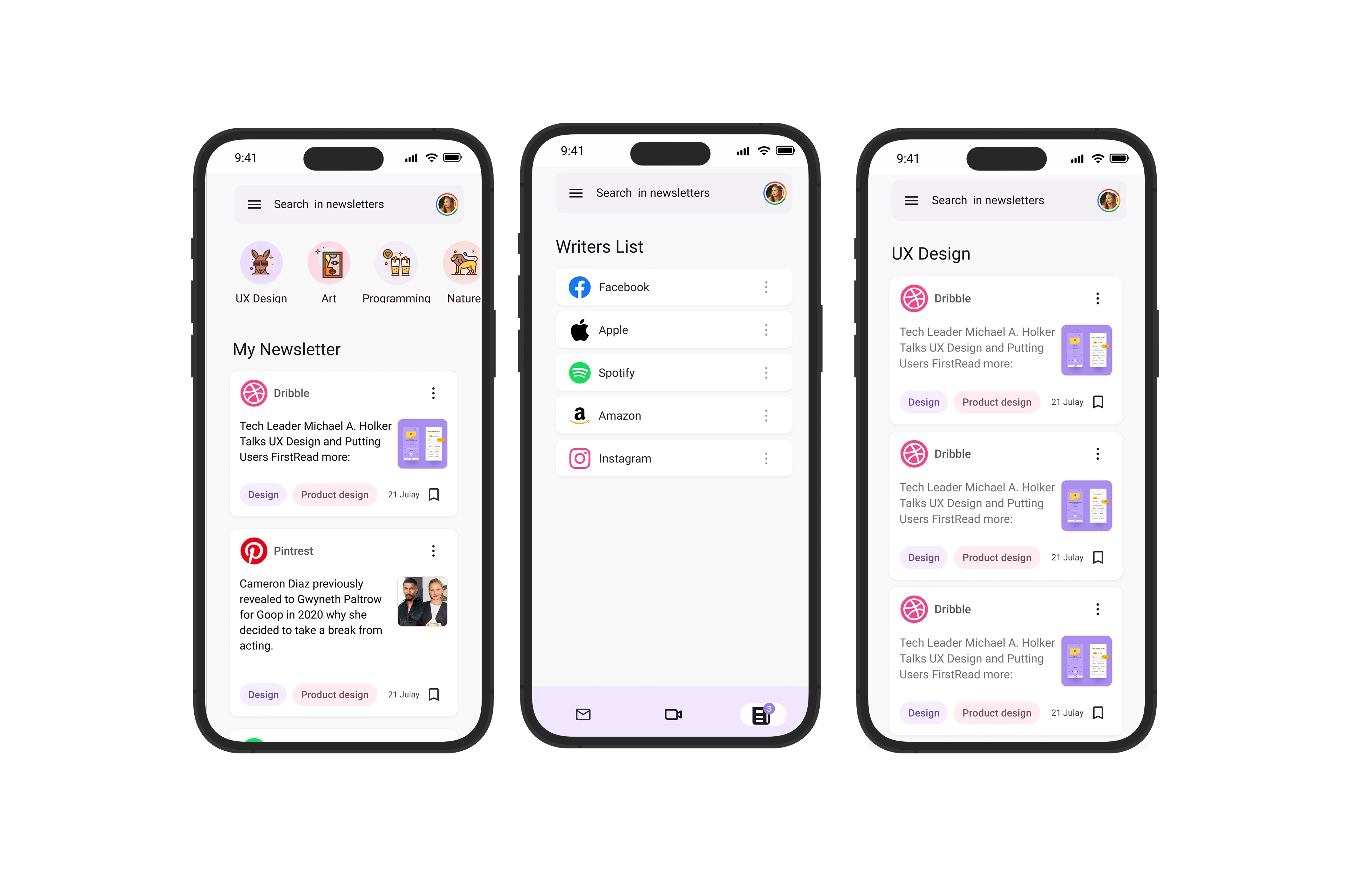
Enhanced spam filter control interface
C. Mobile Optimization
Optimized spam management for mobile devices with touch-friendly interfaces and streamlined workflows.
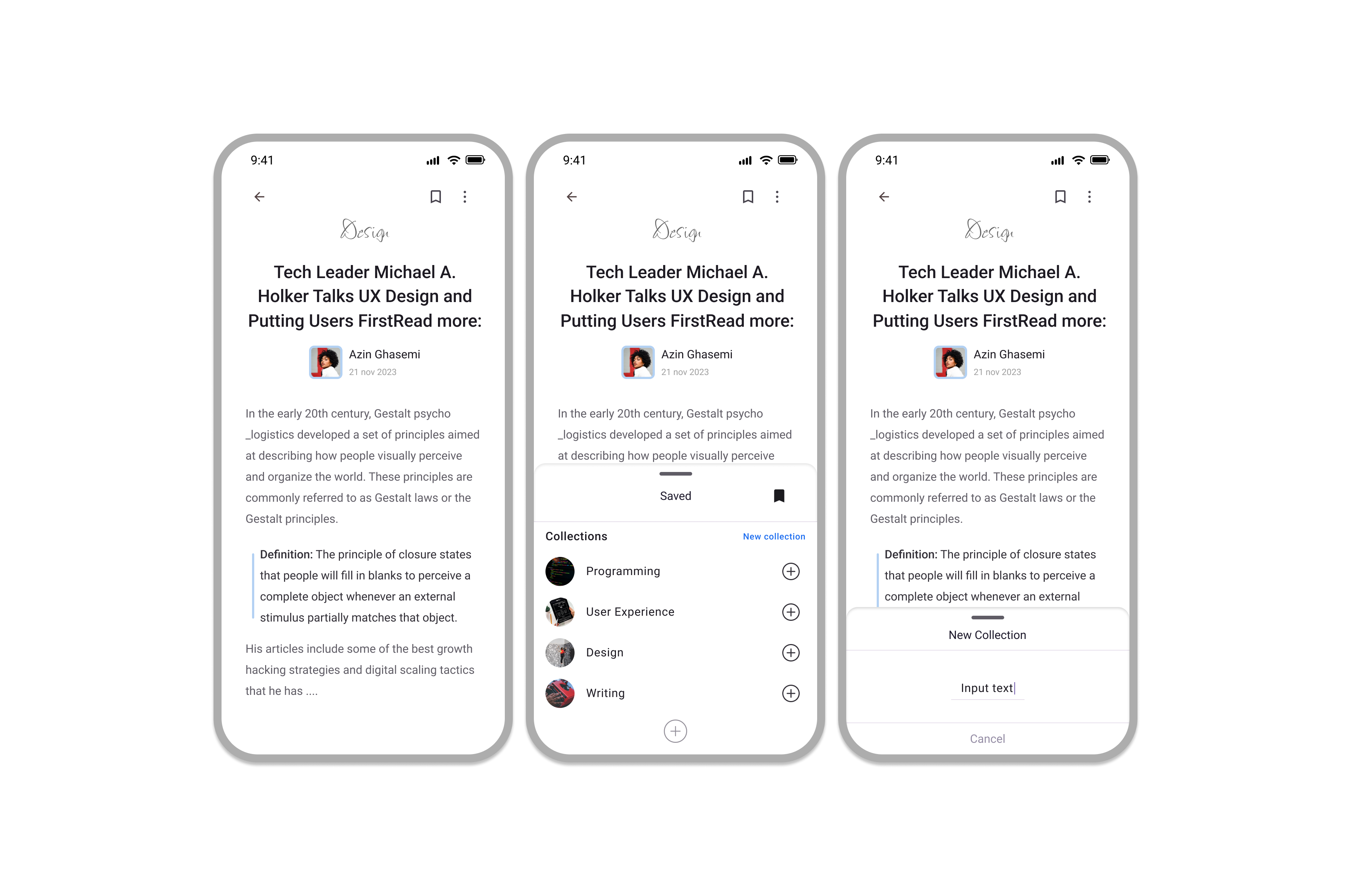
Mobile-optimized spam management interface
Key Features
- Enhanced spam filter controls with clear explanations
- Improved spam folder interface with better organization
- Smart suggestions for spam management actions
- Better feedback and notifications about spam filtering
- Streamlined mobile spam management experience
Design Process
- User journey mapping for spam management scenarios
- Wireframing of improved spam management interfaces
- Prototyping key spam management workflows
- Usability testing with target users
- Iterative design improvements based on feedback
Impact & Reflection
Key Metrics
Quantitative results from user testing and feedback
C. User Understanding
85% of users reported better understanding of why emails were marked as spam.
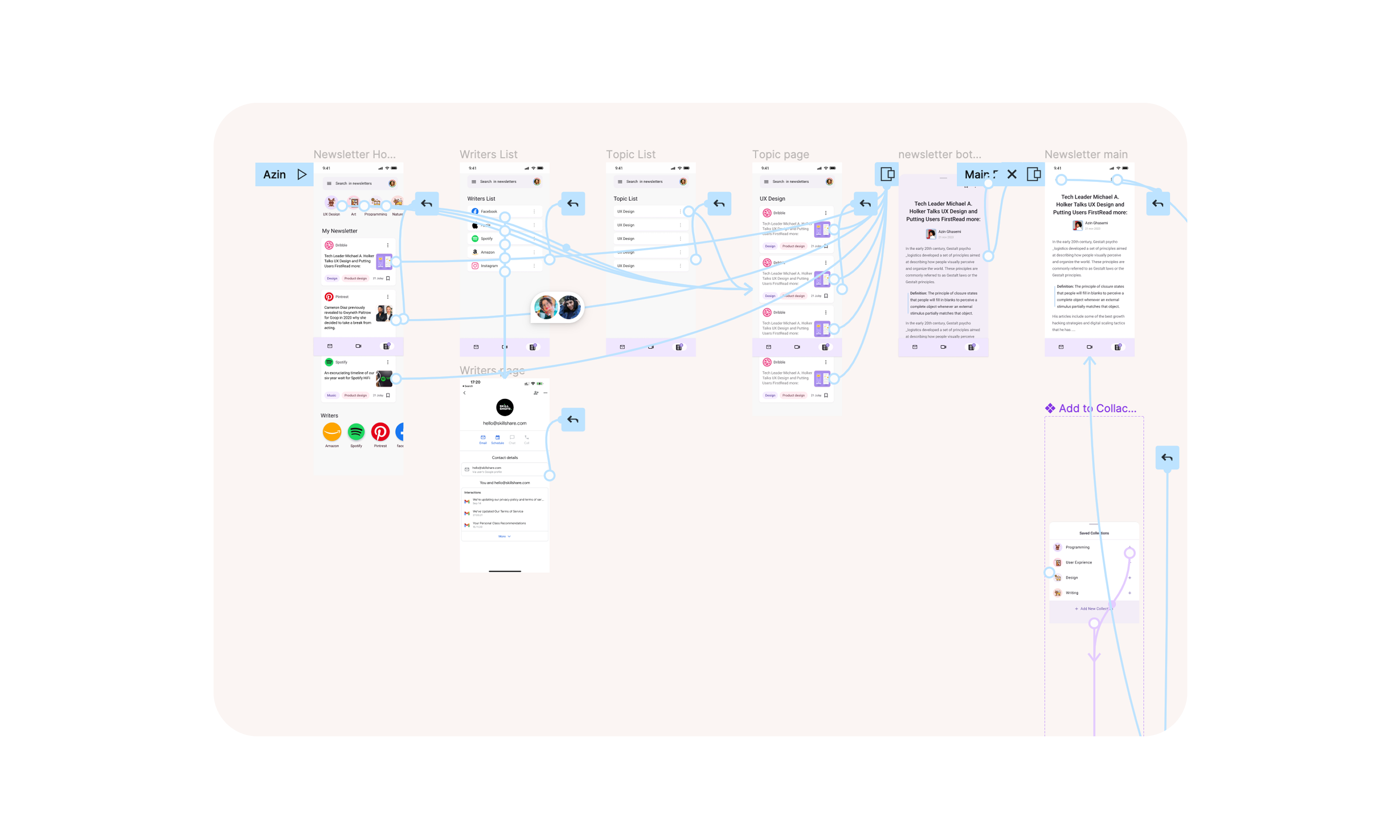
User understanding and transparency improvements
Reflection
This project demonstrated the importance of transparency and user control in automated systems. Users need to understand and trust the system while having the ability to override decisions when necessary.
Next Steps
- Implement machine learning improvements for better spam detection
- Develop advanced user preference learning system
- Create comprehensive spam management analytics for users
- Expand mobile-first design principles across all email features
Design Gallery
Explore the complete visual journey and design process
User Research
Workflow Analysis
Competitive Analysis
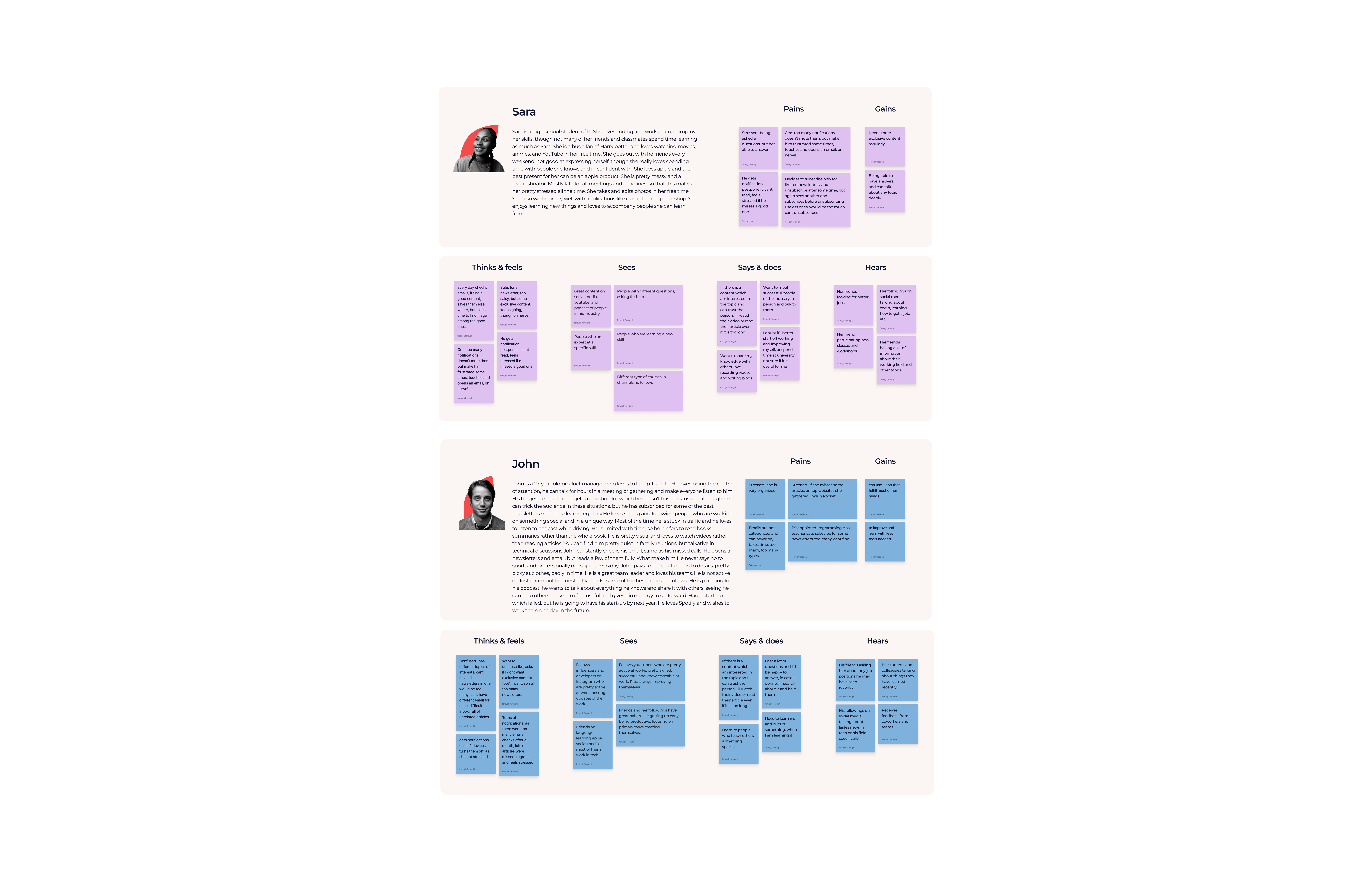
Persona
Mobile Optimization
User Understanding
Filter Controls
Design Gallery
Explore the complete visual journey and design process
User Research
Workflow Analysis
Competitive Analysis
Persona
Mobile Optimization
User Understanding
Filter Controls
Want to learn more about email UX design and spam management?
Let's discuss how we can work together on your next project.
Get in Touch